Most installations sign people in with Microsoft Entra ID. Some run Keycloak instead, for example an installation with no Microsoft 365 tenant. The AIMO extension works the same on both: it asks the gateway which identity provider to use, so nobody configures Keycloak in VS Code. What changes is the page you sign in on, and what the administrator has to have in place.
This article was checked on 15 and 16 October 2026. The Marketplace build 1.2.1 was installed in a clean VS Code profile and signed in to a live Keycloak installation with an existing member account, and the steps and answers below are the ones it gave.
Who does what
| Step | Who | Where |
|---|---|---|
| Check the gateway advertises Keycloak | Administrator | A terminal, once |
| Check the vault accepts the extension’s sign-in | Administrator | A terminal, once |
| Install the extension and enter the gateway address | Each person | VS Code |
| Sign in with Keycloak | Each person | VS Code and the browser |
| Sign in to the vault | Each person | VS Code and the browser |
Part 1: administrator checks
Nothing here is specific to VS Code, which is the point: the extension uses what the installation already publishes. Two checks tell you a person will be able to sign in.
-
The gateway names Keycloak. Ask the public configuration endpoint, which needs no key:
curl -s https://ai.corp.example/api/identity/config | jqThe live answer, with only the host names replaced:
{
  "authRequired": false,
  "entra": null,
  "oidc": {
    "apiAudience": [
      "gpupool-api"
    ],
    "apiScope": "gpupool-api",
    "clientId": "gpupool-vscode",
    "endpoints": {
      "authorization": "https://auth.corp.example/realms/gpupool/protocol/openid-connect/auth",
      "deviceAuthorization": "https://auth.corp.example/realms/gpupool/protocol/openid-connect/auth/device",
      "endSession": "https://auth.corp.example/realms/gpupool/protocol/openid-connect/logout",
      "jwks": "https://auth.corp.example/realms/gpupool/protocol/openid-connect/certs",
      "token": "https://auth.corp.example/realms/gpupool/protocol/openid-connect/token"
    },
    "issuer": "https://auth.corp.example/realms/gpupool",
    "provider": "generic",
    "scopes": "openid profile email"
  },
  "tokenEndpoint": "/api/identity/token"
}
What each part tells you:
entraisnullandoidc.providerisgeneric: sign-in is Keycloak, not Entra ID.issueris your Keycloak realm. The realm is calledgpupoolon every installation.clientIdis the realm client the extension signs in with,gpupool-vscode.apiScopeis the scope the extension adds so that its access token carries the audience inapiAudience, the one the gateway accepts when it issues the person’s key.scopesare the ordinary sign-in scopes. The extension also asks foroffline_access, so it can renew the sign-in without asking again.endpointsare copied from the realm’s own discovery document. The extension usesdeviceAuthorizationandtoken.tokenEndpointis where the extension trades the Keycloak token for the person’s platform key.authRequiredsays whether the gateway insists on a person behind every request. It changes nothing for the extension, which always signs a person in.
Because
endpointscomes from the realm and not from the client, a presentdeviceAuthorizationdoes not prove that the VS Code client may use it. Ask for a device code the way the extension does:curl -s -X POST -d client_id=gpupool-vscode -d 'scope=openid profile email offline_access gpupool-api' https://auth.corp.example/realms/gpupool/protocol/openid-connect/auth/device | jqA client that is set up correctly answers with a code that lives ten minutes:
{
  "device_code": "…",
  "user_code": "ABCD-EFGH",
  "verification_uri": "https://auth.corp.example/realms/gpupool/device",
  "verification_uri_complete": "https://auth.corp.example/realms/gpupool/device?user_code=ABCD-EFGH",
  "expires_in": 600,
  "interval": 5
}
If the device grant is switched off on that client, Keycloak refuses:
{
  "error": "unauthorized_client",
  "error_description": "Client is not allowed to initiate OAuth 2.0 Device Authorization Grant. The flow is disabled for the client."
}
You do not need to use the code; it expires by itself.
-
The vault accepts the extension’s sign-in. The extension signs in to OpenBao the way the
baoCLI does, with the browser returning tohttp://localhost:8250/oidc/callback. Ask OpenBao for a sign-in address with that return address:curl -s -X POST -d '{"role":"user","redirect_uri":"http://localhost:8250/oidc/callback"}' https://bao.corp.example/v1/auth/oidc/oidc/auth_urlOpenBao answers with an
auth_urlon your Keycloak. Open it in a browser: the Keycloak sign-in page means the return address is allowed. Keycloak, not OpenBao, is the one that refuses a wrong one: Invalid parameter: redirect_uri means the vault’s Keycloak client does not listhttp://localhost:8250/oidc/callbackyet. You do not need to finish the sign-in.
The extension finds the vault by itself: it takes the gateway’s host name and replaces the
first label with bao, so ai.corp.example gives bao.corp.example. If your vault lives
elsewhere, each person sets aimo.vault.address.
Part 2: each person
- Install the extension. Search for AIMO in the Extensions view, or install the download from the AIMO for VS Code page. Extensions belong to a VS Code profile: install into the profile your window uses.
- Enter the gateway. The first time, AIMO asks for the gateway address. Enter the one
your administrator gave you, for example
https://ai.corp.example. - Sign in. Run AIMO: Sign in. A short code is copied to your clipboard and your browser opens your installation’s Keycloak device page. Paste the code, sign in with your usual Keycloak account and approve. The code is valid for ten minutes.
- Your own key. AIMO exchanges that sign-in for your personal platform key and keeps it in VS Code’s secret storage. It is a key of its own: keys you hold for other clients are not touched. Signing in on a second machine gives you a new key, and the first machine fetches a fresh one by itself on its next request.
- Chat. Open the AIMO view and ask something about the open folder. With no model chosen, AIMO takes your profile’s default model, or a sensible one from the list; pick another with AIMO: Select Model. Models that run on your own key, such as Evren models, need that key on My variables first.
- Sign in to the vault. Run AIMO Vault: Sign in to the Vault. The browser opens
Keycloak again (you are usually still signed in) and comes back to
localhost:8250. The Vault view then shows your personal vault and any team vaults. The session lasts eight hours and renews itself for up to a day.
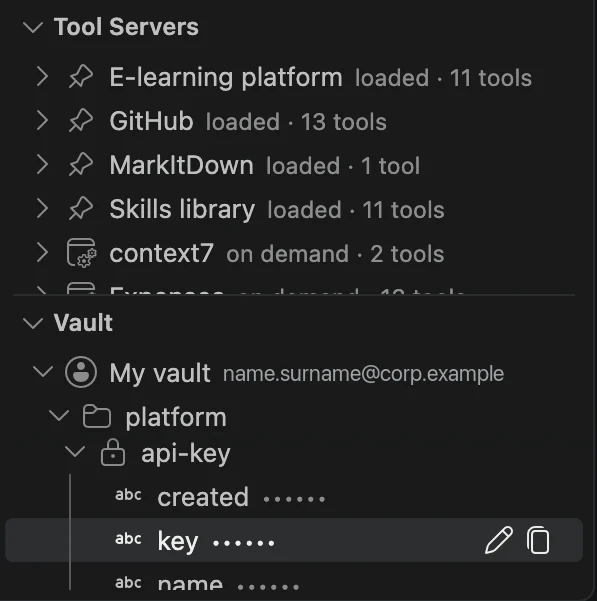
In the live check, the first sign-in created the person’s own key, the chat turns appeared in
the audit log with the vscode tag under one chat session, and the model read, edited and ran
files in the folder after the person approved each action.
The same account in aimo
The extension and aimo, the web chat, use the same Keycloak account. In aimo, sign in with the single sign-on button rather than an email and password form: your groups, and with them the document collections you may search, are refreshed only when you sign in through Keycloak.
When something does not work
| What you see | What to do |
|---|---|
could not reach …/api/identity/config |
The gateway address is wrong, or you are not on a network that reaches it. Change it with AIMO: Set Gateway URL |
the gateway has no identity configuration |
The gateway publishes no sign-in settings. Ask your administrator to run the first check in Part 1 |
| The Keycloak page says the code is invalid or expired | Run AIMO: Sign in again; a code lives ten minutes |
port 8250 is busy on the vault sign-in |
Another vault sign-in, or the bao CLI, is waiting on that port. Finish or cancel it |
| The vault sign-in page opens but nothing happens afterwards | You are in a remote window (SSH, container). Forward port 8250, or sign in from a local window |
| A model answers that it needs your own key | Save that key on My variables, then ask again |
| Nothing resolves | An installation on a private network answers only from that network |
Sign-in discovery can be overridden with aimo.issuer, aimo.clientId and aimo.apiScope,
for an installation that does not publish its configuration. These settings can only be set
in your user settings, never by a repository you open.