agentdesk
The agent workspace: what an agent is, when to build one instead of chatting, whose work a run is, a quick start, and where each part is documented.
Checked against the running product on 22 November 2026
agentdesk is the agent workspace of Bosphorus. aimo is where you chat with a model; agentdesk is where you build something that does a job without you sitting there — when you press a button, every morning at eight, or when a message or a support ticket arrives.
An agent here is not a chat window with a longer memory. It is a named, versioned thing with a job, a list of tools it may use, budgets it cannot exceed, and a record of every run it has made. Everything it does goes through your organisation’s gateway, under your own identity: the same policy checks, the same limits and the same audit trail as any other request.
When to build an agent instead of chatting
Chat is the better tool for most things. Build an agent when one of these is true:
| Situation | Why an agent |
|---|---|
| Nobody will be at the keyboard | A schedule fires at 03:00; a ticket arrives at the weekend. A chat needs you there |
| The same job, again and again, the same way | An agent is a saved procedure — instructions, tools and limits together — not a prompt you paste again and hope it is the same one |
| It has to use tools, not just answer | Search the web, read a page, run code, work a ticket, post to a chat |
| Someone will have to explain it afterwards | Every run keeps its steps, its tokens, its tool calls and the exact version of the agent that made it |
Stay in chat when you are exploring, when the task is a one-off, or when you want to steer every turn yourself. A procedure that has settled down in chat can become an agent later.
Signing in, and whose work it is
Open your organisation’s agentdesk address, for example https://agentdesk.corp.example, and sign in
with your work account — the same identity provider as aimo. The first sign-in creates your
workspace: your agents, your runs and the files they make. Other people do not see them;
administrators can.
At sign-in, agentdesk also obtains a platform key of its own for you and keeps it encrypted
against your workspace. On the platform it is named after you and the app, for example
user:ayse@org.example#agentdesk. Every model call and every tool call your agents make is made
with that key, so:
- Your usage is yours. Runs appear under your name on the platform’s usage and activity pages, not under a shared “agentdesk” identity.
- Your limits are yours. A runaway agent counts against your key and your team, not against everybody’s.
- Unattended runs work. The key outlives your browser session, which is what lets a schedule fire while you are asleep.
The key belongs to agentdesk alone: the other apps you use with the platform hold their own, so replacing one never signs you out of another. Connections shows the key’s state — see Connections.
Quick start
- Sign in at your agentdesk address.
- New agent opens a gallery of ready-made agents. Pick one and press Use this template, or start from scratch — see Build your first agent.
- Check the tools and budgets in the editor, and save. Ticking a tool is the approval for it — see Tools.
- Run now on the agent’s page, with a message if you like. The run page opens and shows the agent working.
- Read the run, reply to it, or download what it made — see Runs, files and memory.
- Schedule it, or put it in a chat, once it does what you want — see Running an agent.
Where things are
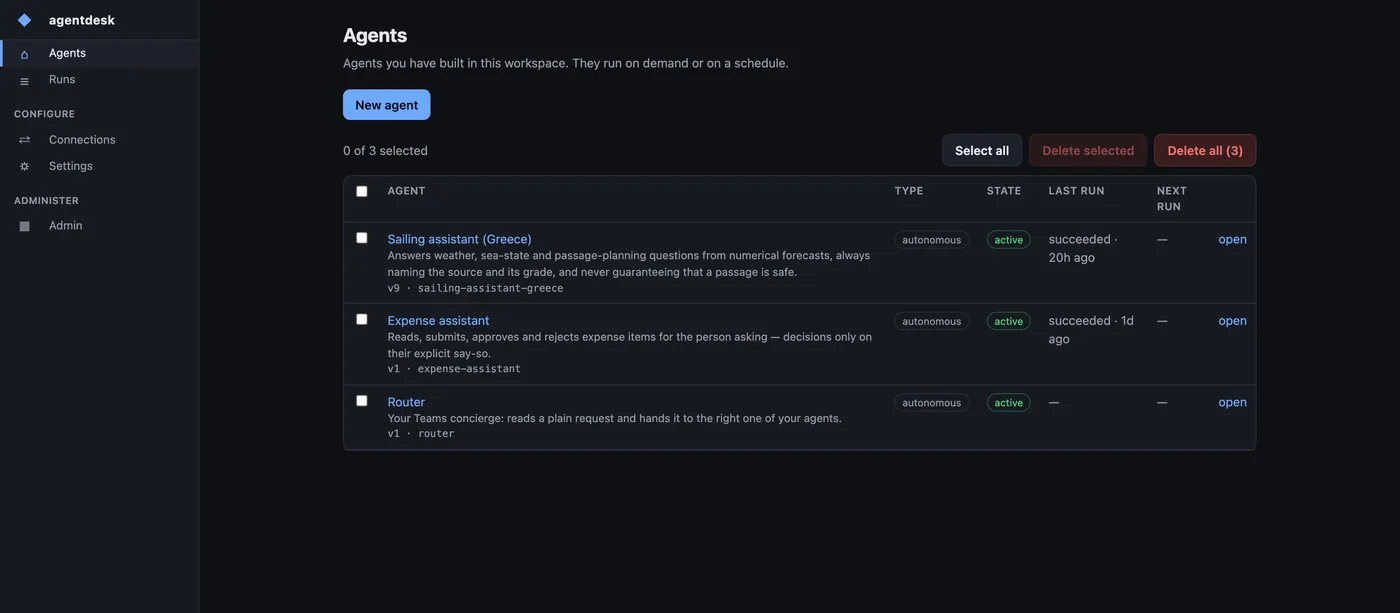
The sidebar has Agents (your agents, and New agent), Runs (every run in your workspace), Connections (your platform key and the tool servers your agents can reach) and Settings (the model a new agent starts on). Administrators also see Admin. Your address and your role are at the foot of the sidebar, with Sign out.
This documentation
| Section | What it covers |
|---|---|
| Get started | This page, the kinds of agent and building your first one |
| Building an agent | Tools, budgets and limits, versions, connections and the code sandbox |
| Running it | Running an agent, runs, files and memory, and how agents appear on the platform |
| Administration and help | Administration and troubleshooting |
Some parts depend on what your installation has connected: Microsoft Teams, Telegram, a support desk, the code sandbox, web search. Each page says so where it matters. If your organisation does not run Bosphorus yet, see the workspaces or contact us.